
Scenario
Let’s say that you have a field named ‘Email’ which you use to capture an email address and you want to ensure that users enter a valid email address.
Solution
This can be accomplished by adding a simple rule within the Logic screen that validates the contents of the ‘Email’ field.
- Title: Email format validation
- Conditions: Custom js function
- Steps: Field – set custom error
Code
let emailRegExp = /^(([^<>()\[\]\\.,;:\s@"]+(\.[^<>()\[\]\\.,;:\s@"]+)*)|(".+"))@((\[[0-9]{1,3}\.[0-9]{1,3}\.[0-9]{1,3}\.[0-9]{1,3}\])|(([a-zA-Z\-0-9]+\.)+[a-zA-Z]{2,}))$/g;
getValue('Email').match(emailRegExp) == null
Example
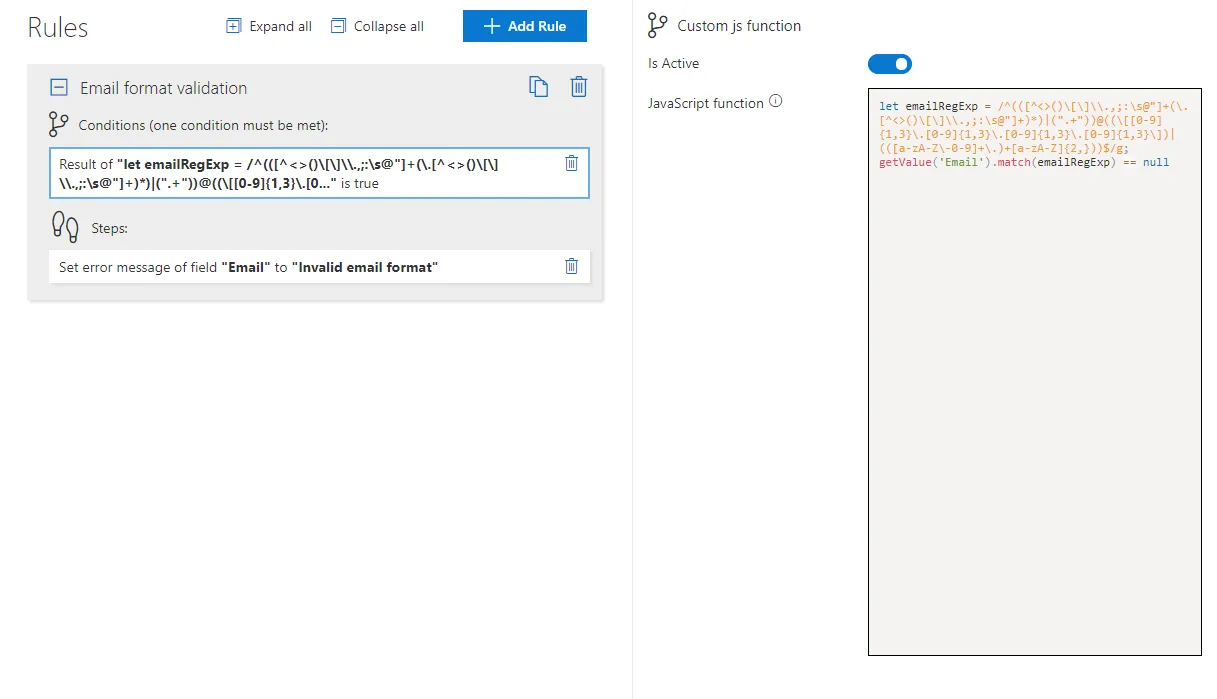
Once you have configured this it should work like this: