Search for answers or browse articles about Sintel Forms
How to complete a form action with Power Automate
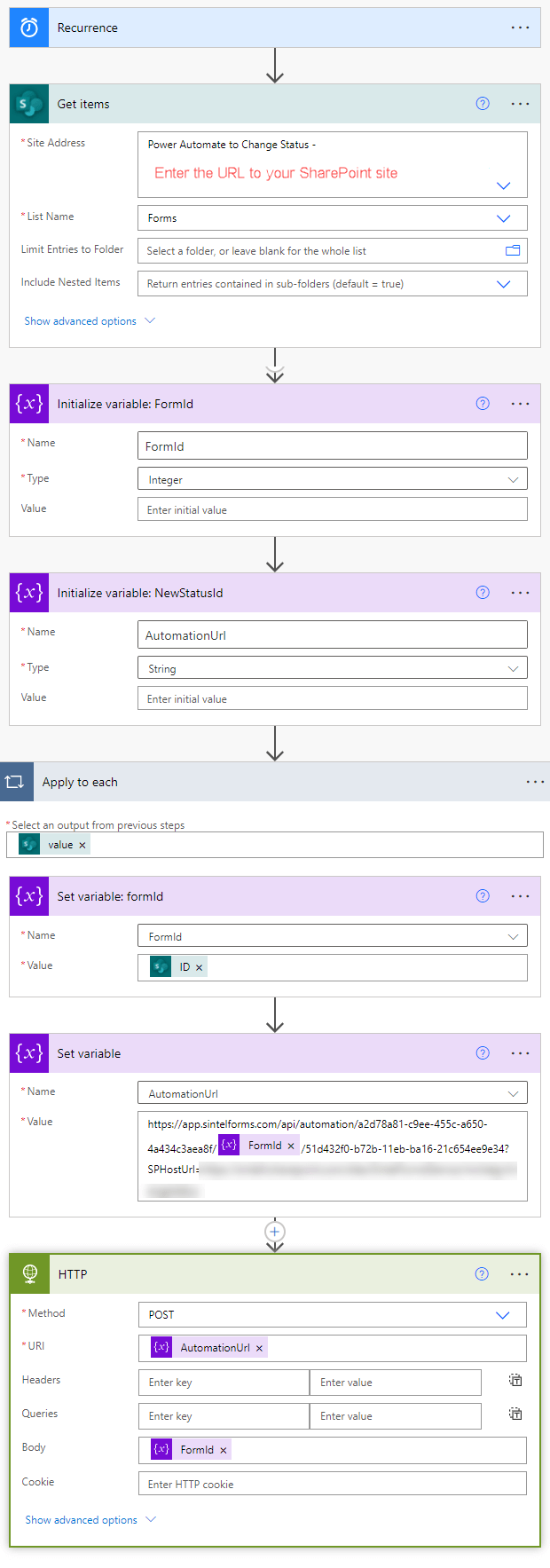
If you are using an automation process such as Power Automate in conjunction with Sintel Forms, you may want to have a way to progress an item to the next workflow status depending on the conditions and events in the automation process.
Sintel Forms makes this possible using a dedicated API which is available within the Sintel Forms Designer.
Once the feature is enabled for you, a new API Integration configuration option will appear when you click on any of the actions you have defined within the Workflow screen of the Sintel Forms Designer:
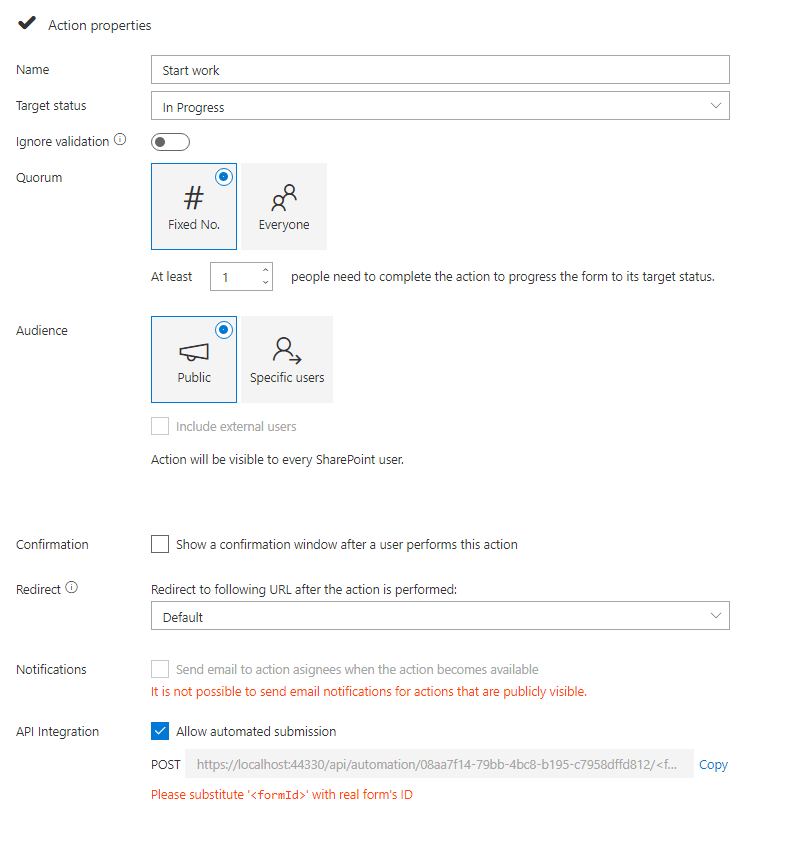
By enabling the “Allow automated submission” option, you’ll populate the endpoint URL. This URL can be employed in a POST operation within Power Automate to execute a form action, consequently altering the status of a form. The URL incorporates a placeholder, <formId>, which should be replaced with the actual list item’s ID that corresponds to your running process.
Each individual action, as defined within the Workflow screen of the Sintel Forms Designer, possesses its own unique endpoint URL. You only need to enable the feature for the particular action(s) you wish to execute from Power Automate.
Example: