Search for answers or browse articles about Sintel BI
Warning when opening a dashboard
Issue
When you attempt to open a Sintel BI Dashboard you receive an error similar to the one shown below.
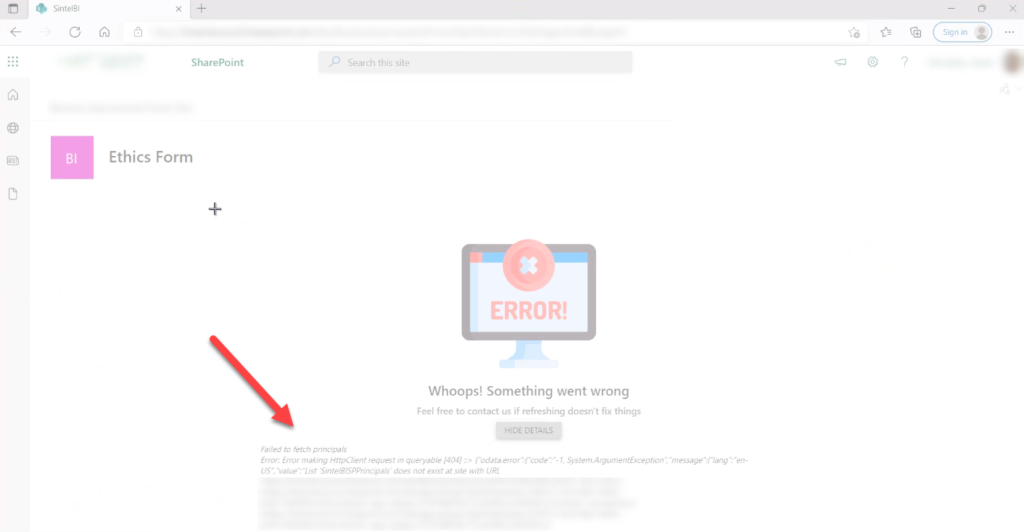
An issue with the SintelBISPSPrincipals list
Reason
In this case, the issue was caused by permissions being changed on 1 or more lists that are used by Sintel BI. Seven lists are used by Sintel BI to store the configuration of things such as data sources, dashboards and components. A user must have read-access to these lists in order to open dashboards and they must have edit access to 4 of the lists. In this case, the permission inheritance was broken on a number of lists and this caused the issue.
Resolution
Resolving the issue is very easy. You simply need to open the site permissions via Site settings->Site Permissions (Example: https://PathToYourSite/_layouts/user.aspx). When you open this screen it will show you a message of any content in the site has unique permissions applied. You can then click on Show these items and delete the unique permissions on any SintelBI lists so that they inherit their permissions from the site.
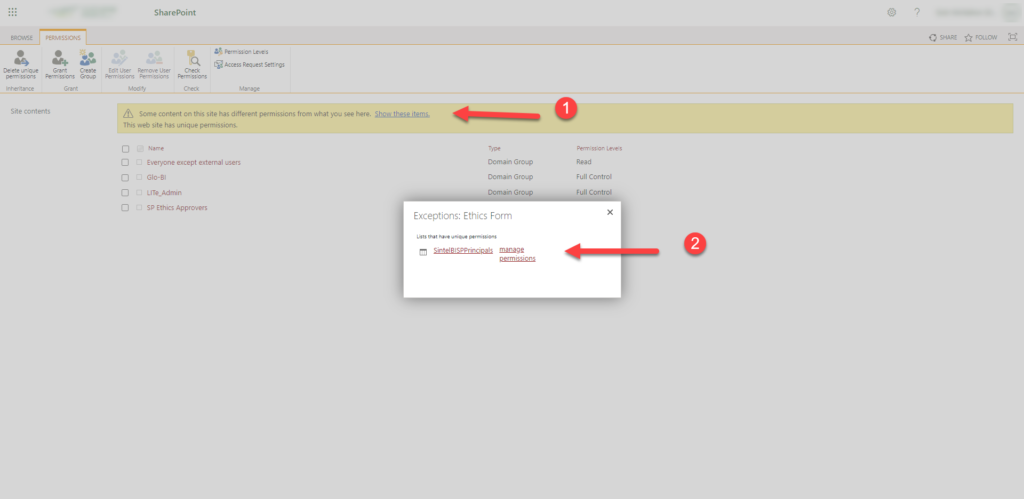
Fix steps 1 and 2
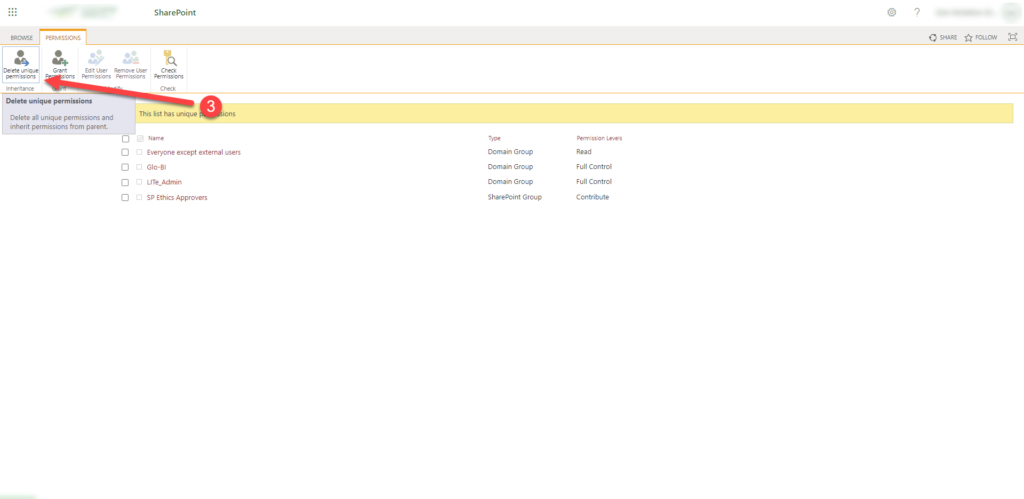
Fix step 3
We strongly recommend that you refer to our Lists used by Sintel BI article for more info about the lists used by Sintel BI and their purpose. It also explains what permissions are required by each list.