
How can we help?
Search for answers or browse articles about Sintel Apps
-
About Sintel Apps
-
Sintel Forms to Sintel Apps Migration
- Sintel Forms Is Now Sintel Apps – What You Need to Do
- Upgrading from Sintel Forms to Sintel Apps – Migration Guide
- JavaScript API Differences Between Sintel Forms and Sintel Apps
- Migrating Workflow History using a custom Microsoft Flow
- What Does Not Migrate Automatically
- Migration Checklist
- Information for IT Administrators – Installing Sintel Apps
- How to Find Existing Sintel Forms in SharePoint
- Convert a classic SharePoint site to a modern one
-
Getting Started
-
Designer Overview
-
Layout
-
Logic
-
Workflow
-
Settings
-
Product Updates
-
Building Forms
-
End-to-End Examples
- Articles coming soon
-
Checklists & Best Practices
-
Advanced Configurations
-
Troubleshooting
You are here:
Conversations
Posted
Updated
ByAmy Dermody
0 out of 5 stars
| 5 Stars | 0% | |
| 4 Stars | 0% | |
| 3 Stars | 0% | |
| 2 Stars | 0% | |
| 1 Stars | 0% |
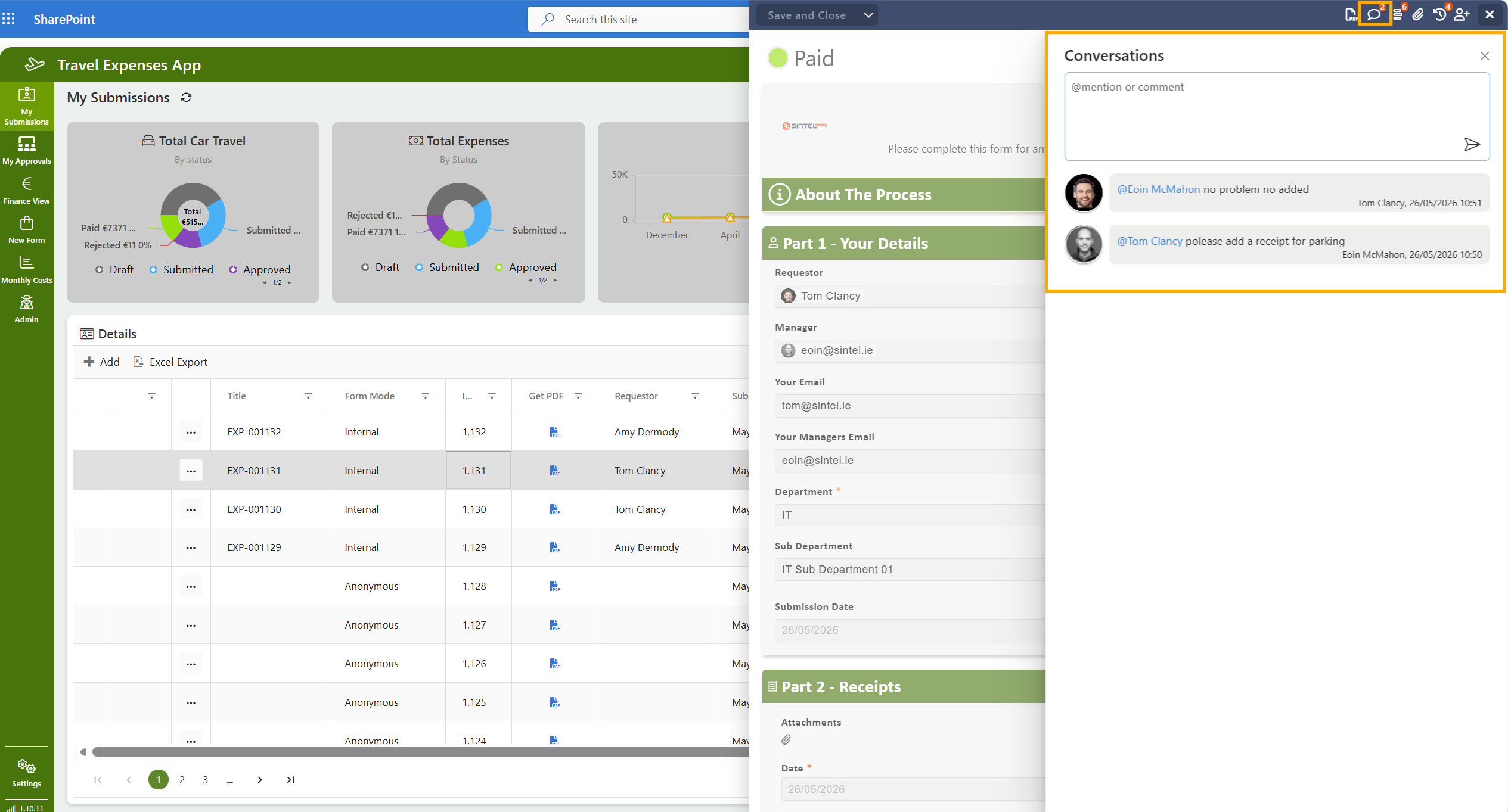
The Conversations setting enables threaded discussions on form items.
When enabled:
- Users can add comments to a form
- Comments are visible within the form interface
- Conversations are linked to the specific item
This is useful for collaboration and audit trails.
There is also support for the {{Author}} token within conversations. This helps provide additional context during collaboration and review processes, especially when forms are updated or discussed by multiple users. If you want to use the author token just type @author.

Was this article helpful?
0 out of 5 stars
| 5 Stars | 0% | |
| 4 Stars | 0% | |
| 3 Stars | 0% | |
| 2 Stars | 0% | |
| 1 Stars | 0% |
5
Table of Contents
