Power Apps Alternative for SharePoint Online
Sintel Apps is a no-code app builder that runs inside SharePoint Online and Microsoft 365. It turns SharePoint lists into business applications with forms, approval workflows and dashboards, and keeps the data in your own tenant.
Short answer
Choose Sintel Apps when your data already lives in SharePoint lists and you need forms, approvals and dashboards with a flat annual price and unlimited users. Choose Power Apps when an app has to combine many non-SharePoint data sources, needs fully custom screens, or builds on the wider Power Platform.
Book a demo Start your free trial
Written by Sintel, the makers of Sintel Apps. Last updated 18 November 2026.
 Power Apps
- General low-code platform for many scenarios
- Wide range of data sources and Microsoft services
- Workflows typically built with Power Automate

- Built for SharePoint Online and Microsoft 365
- Forms, workflows, approvals and dashboards in one platform
- Your business data stays in your Microsoft 365 environment
Sintel Apps and Power Apps compared
Both build business apps on Microsoft 365, but they start from different places: Power Apps is a general-purpose platform, Sintel Apps is a SharePoint-first builder for forms, workflows and dashboards. This comparison describes how each product is designed to be used. Check Microsoft's documentation for the current Power Apps licensing and limits.
| Area | Microsoft Power Apps | Sintel Apps |
|---|---|---|
| What it is | General low-code platform with canvas and model-driven apps | Form, workflow and dashboard builder that runs inside SharePoint Online |
| Where the data lives | Many sources: Dataverse, SharePoint, SQL and a large library of connectors | SharePoint lists and libraries in your tenant |
| Forms on a SharePoint list | Customise the list form or build a canvas app | Browser-based designer: layouts, conditional fields, validation, related lists, signatures |
| Workflows and approvals | Power Automate flows, a separate service | Built-in multi-stage workflow designer with approval comments and history; Power Automate optional |
| Dashboards | Power BI or custom screens | Sintel BI dashboards on SharePoint lists, Excel files and SQL databases (data sources depend on the Sintel BI licence) |
| How you build | Power Fx formulas and connectors | Visual configuration; JavaScript, APIs and webhooks for advanced cases |
| Licensing | Included in many Microsoft 365 plans for apps that use standard connectors, such as customised SharePoint list forms; premium connectors and Dataverse need a Power Apps plan (per user, per app or pay-as-you-go) | Separate product with an annual plan by number of forms and workflows; unlimited users on every plan; free Lite plan |
Which one fits Your project?
Sintel Apps is likely the better fit when
- your data already lives in SharePoint lists and libraries
- you need forms, approvals and dashboards more than custom screen layouts
- SharePoint admins or business users, not developers, will build and maintain the apps
- you want one annual price with unlimited users instead of per-user or per-app licences
- people outside your organisation need to submit or revisit forms (Professional plan and above)
Power Apps is likely the better fit when
- an app combines many non-SharePoint sources such as Dataverse, SQL or line-of-business systems
- you need fully custom screens or mobile-first canvas apps
- your organisation already has Power Platform governance, licences and makers
- you need other parts of the Power Platform alongside the app
The two are not mutually exclusive. Sintel Apps can call Power Automate flows and webhooks, so existing flows keep working while new forms and approvals are built in SharePoint.
Start from a ready-made app
Instead of starting from a blank page, import a template that Sintel has already built and adapt it. These apps come from the Sintel Apps Store, our library of ready-made apps for SharePoint.
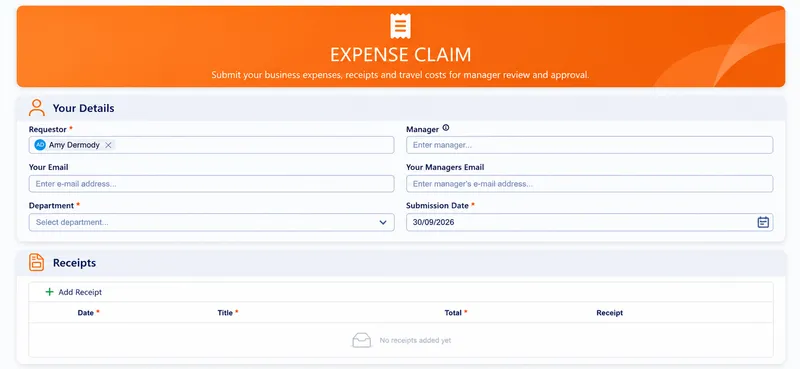
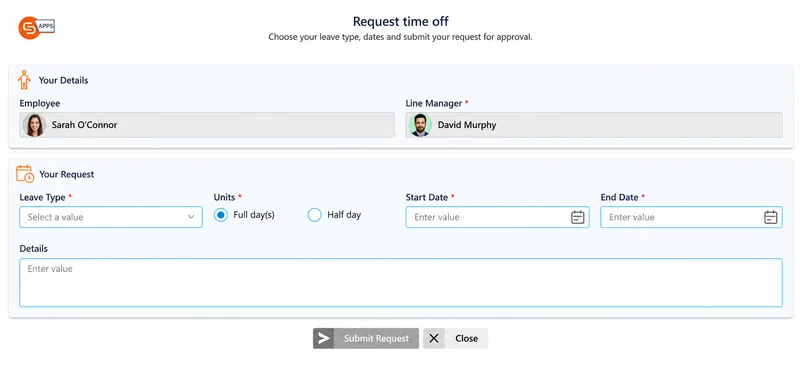
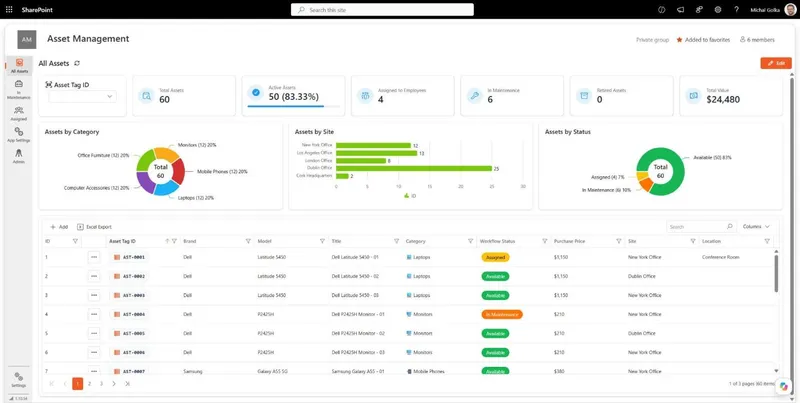
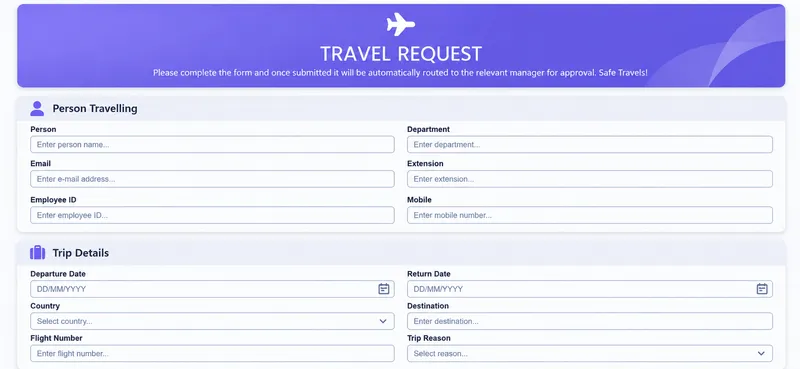

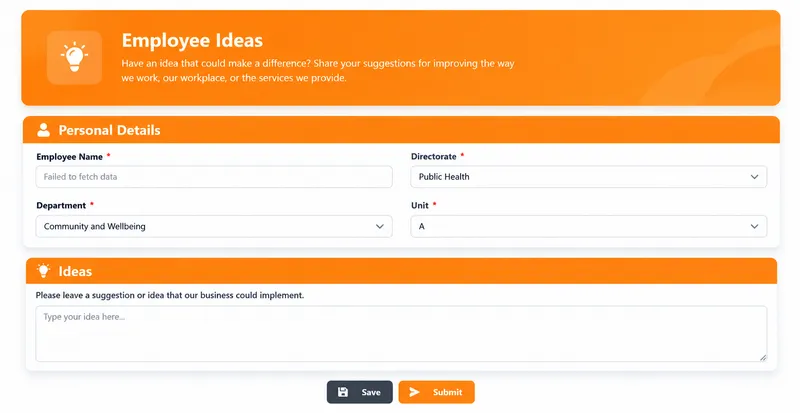
Each app in the Store can be previewed live, then downloaded and imported into your own SharePoint.
Moving from Power Apps to Sintel Apps
If an app is mostly a form and an approval process on a SharePoint list, you can rebuild it in Sintel Apps without moving the list data. Forms and workflows are reconfigured in the designer, and Power Automate flows that you still want can keep running through webhooks. Apps that rely on several non-SharePoint data sources are usually better left in Power Apps.
Power Apps alternative: frequently asked questions
Is Sintel Apps an alternative to Microsoft Power Apps?
Yes, for business applications that are centred on SharePoint Online: forms, approval workflows and dashboards on SharePoint lists. It is not a drop-in replacement for every Power Apps scenario, especially apps that depend on many other data sources.
What is the main difference between Sintel Apps and Power Apps?
Power Apps is a broad low-code platform for many data sources and app types. Sintel Apps is a focused builder that runs inside SharePoint Online and uses SharePoint lists as the data layer.
Where is my data stored?
All form data is stored in SharePoint lists inside your own Microsoft 365 tenant, traffic uses SSL, and Sintel has no access to your data.
Do I need Power Automate to use Sintel Apps?
No. Sintel Apps has its own workflow designer for multi-stage approvals with comments and history. You can also integrate with Power Automate, APIs and webhooks when a process has to reach other systems.
Is there a free version?
Yes. Sintel Apps has a free Lite plan (2 forms and 2 workflows, unlimited users), and installing from Microsoft Marketplace gives a 30-day trial of the Enterprise plan. No credit card required. See the pricing page for plans and limits.
How does Sintel Apps licensing compare with Power Apps?
Sintel Apps is a paid product with a flat annual plan based on the number of forms and workflows, and unlimited users, plus a free Lite plan. Power Apps is included in many Microsoft 365 plans for apps that use standard connectors, so a simple SharePoint form can cost nothing extra; premium connectors and Dataverse need a Power Apps plan, licensed per user, per app or pay-as-you-go. The difference depends on the app and on how many people use it. See the pricing page for Sintel Apps plans.
Do I need to code?
No. Forms, business rules and workflows are configured visually. For advanced requirements you can add JavaScript, call APIs or use webhooks.
Can I use my existing SharePoint lists?
Yes. Sintel Apps builds forms and workflows on existing SharePoint lists and libraries.
Is Sintel Apps an alternative to Microsoft Forms?
They solve different problems. Microsoft Forms is aimed at surveys and quizzes. Sintel Apps is for business processes: forms stored in SharePoint lists, multi-stage approval workflows, business rules and dashboards. If a response has to be routed, approved or reported on, Sintel Apps is the next step.
Can Sintel Apps replace InfoPath forms?
Yes, for many forms. Microsoft is retiring InfoPath Forms Services in SharePoint Online, and InfoPath forms and their approval processes can be rebuilt as Sintel Apps forms and workflows on the same SharePoint lists. Sintel offers a free assessment of your InfoPath usage; see the transition guidance or infopath-alternative.com.
Can people outside my organisation use the apps?
Yes. The Professional plan and above include External Submissions and External Sharing: people outside your tenant can submit forms through an anonymised link and return to update them with a one-time password (OTP), without getting access to your SharePoint. External forms are rendered by a Sintel-operated Azure endpoint that saves the submission straight into your SharePoint list, and captcha protection is on by default.
Try it on Your own SharePoint
Install Sintel Apps from Microsoft Marketplace, or book a demo and we will build your first form with you.
Microsoft, Power Apps, Power Automate, Power BI and SharePoint are trademarks of their respective owners. Sintel Apps is not affiliated with or endorsed by them.