
Nintex Alternative for SharePoint Online
If you build forms and approval workflows on SharePoint Online with Nintex and are reviewing your options, Sintel Apps covers the same ground inside SharePoint Online: responsive forms, multi-stage workflows with approvals, business rules and dashboards, all stored in your SharePoint lists.
Short answer
Sintel Apps is a good Nintex alternative when your processes are forms and approvals on SharePoint Online and you want them in one tool with unlimited users. Nintex may be the better fit when you depend on its automation beyond SharePoint, such as robotic process automation, document generation or connectors to many non-Microsoft systems.
Book a demo Start your free trial
Written by Sintel, the makers of Sintel Apps. Last updated 18 November 2026.
Why people are looking for a Nintex alternative
Nintex has retired Nintex Workflow for Office 365 and Nintex Forms for Office 365, the add-in versions used on SharePoint Online; the Nintex help site states that these add-ins are no longer available. Nintex's current cloud product is Nintex Automation Cloud (formerly Nintex Workflow Cloud), which works with SharePoint Online but is a separate platform. Organisations that relied on the older add-ins must either move to Nintex's newer platform or rebuild their forms and workflows elsewhere. Check Nintex's announcements for the exact status of the product you use.
What replaces what
Use this list to check an existing Nintex solution against what Sintel Apps offers. Nintex features vary by product and licence, so review your own forms and workflows rather than relying on names alone.
| If you use in Nintex | In Sintel Apps |
|---|---|
| Forms on SharePoint lists | Forms built in a browser designer with sections and tabs, conditional fields, validation, calculated fields and related lists; responsive on desktop, tablet and phone |
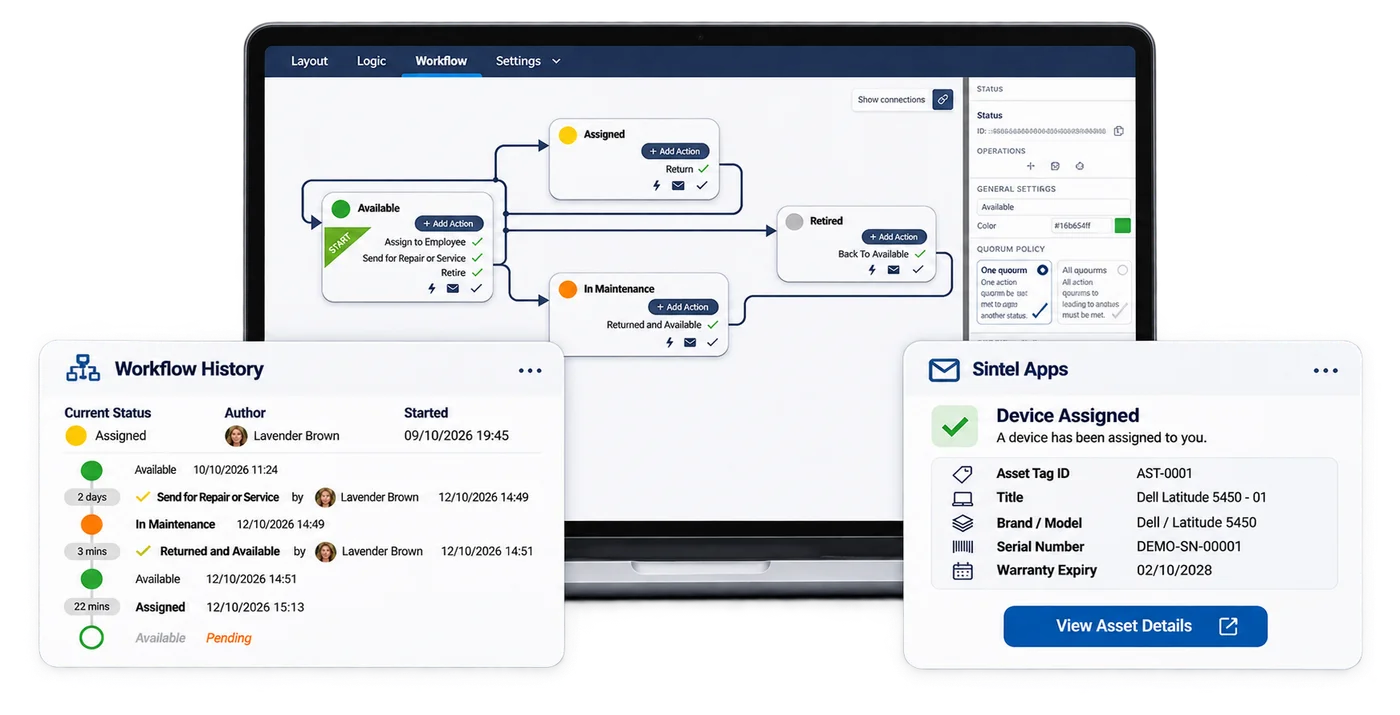
| Approval and task workflows | Built-in workflow designer with multi-stage approvals for users or groups, parallel approvals with a quorum, mandatory approval comments, email notifications and a workflow history on every item |
| Rules, conditions and calculations | Business logic as configurable conditions and actions on forms and workflows |
| Reports and dashboards | Sintel BI dashboards with charts, grids and summary cards on SharePoint lists, Excel files and SQL databases (data sources depend on the Sintel BI licence) |
| Calls to other systems | Workflow actions can call Power Automate through webhooks, and an API integration URL lets Power Automate submit into a workflow |
| Where the data lives | SharePoint lists and libraries, unchanged and inside your tenant |
Which one fits Your project?
Sintel Apps may fit when
- you use SharePoint Online extensively and want to keep your data in SharePoint lists
- you need both forms and multi-stage approval workflows
- you want dashboards on the same lists without another tool
- you want a no-code builder with unlimited users and a flat annual price
Nintex may fit better when
- you rely on Nintex automation outside SharePoint, such as robotic process automation or document generation
- your processes connect many non-Microsoft systems through Nintex connectors
- you already run on Nintex Automation Cloud and have a large Nintex estate that you do not plan to change
Migrating from Nintex
Existing Nintex forms and workflows can be assessed and rebuilt in Sintel Apps. The effort depends on the complexity of the forms, workflows and integrations, and Sintel can help with the analysis and planning.
01
Assess
List your Nintex forms, workflows, SharePoint lists and integrations.
02
Plan
Decide what to migrate as it is, simplify or retire.
03
Rebuild
Recreate forms, workflows and rules in the Sintel Apps designers on the same lists.
04
Deploy
Roll out to users and run the old and new versions side by side if you need to.
Start from a ready-made app
A template is often the quickest way to replace a typical Nintex form. Import one, then adapt it to your process. These apps come from the Sintel Apps Store, our library of ready-made apps for SharePoint.
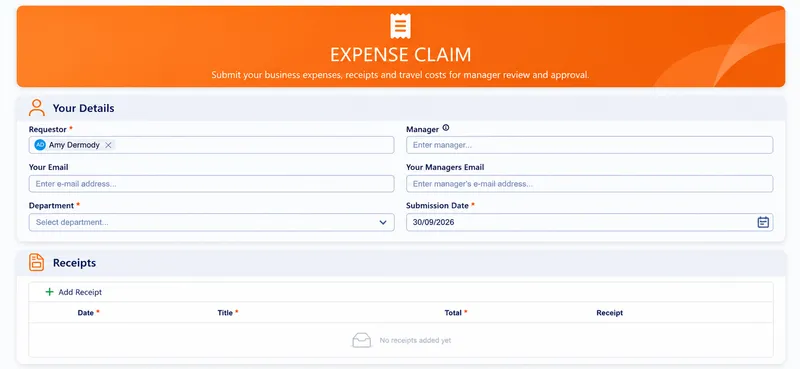
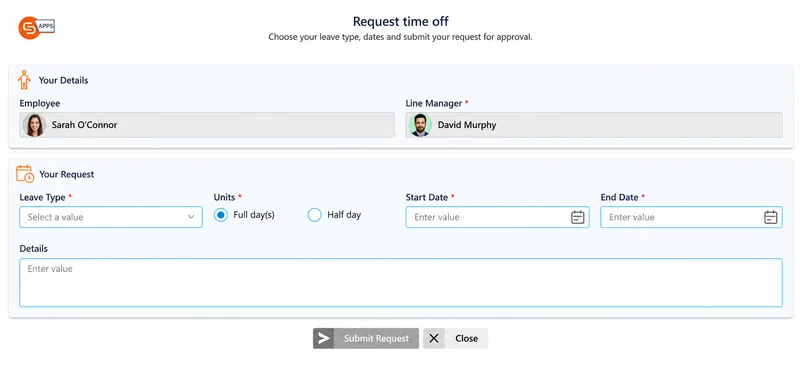
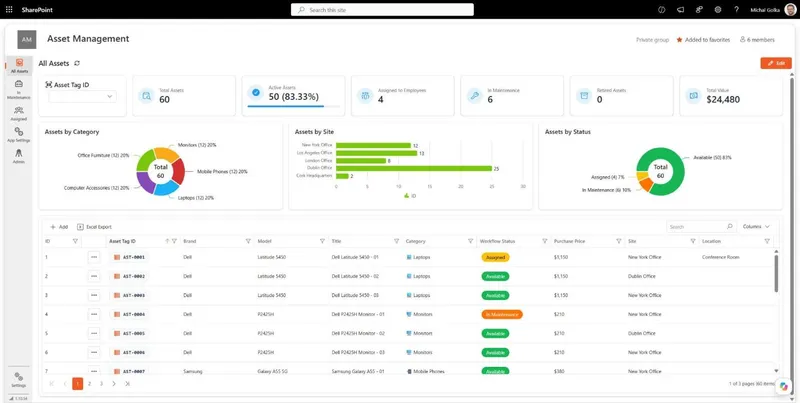
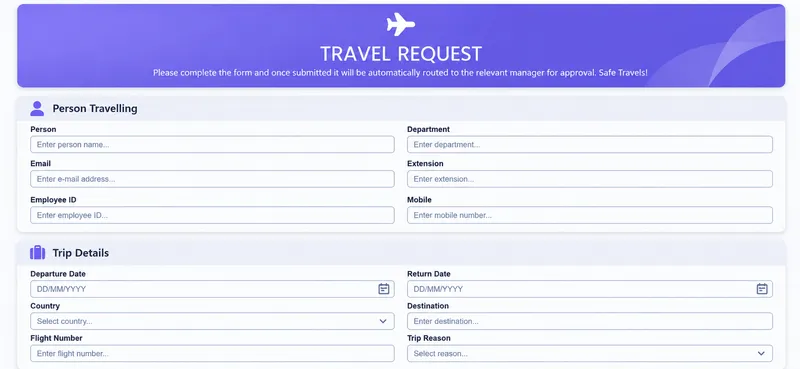

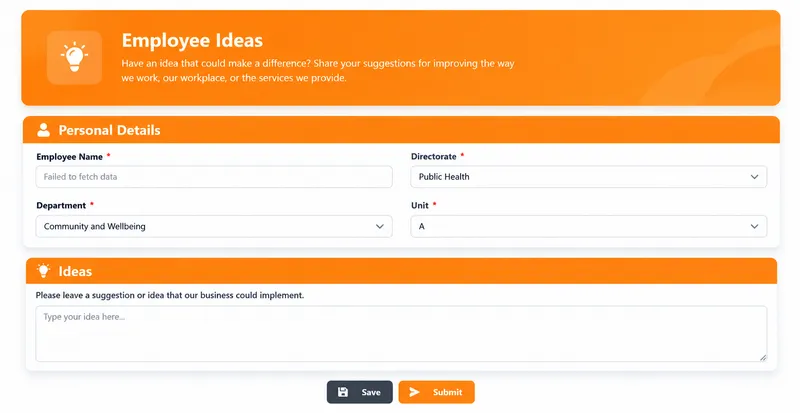
Each app in the Store can be previewed live, then downloaded and imported into your own SharePoint.
Nintex alternative: frequently asked questions
Is Nintex Workflow for Office 365 still available?
Nintex has retired Nintex Workflow for Office 365 and Nintex Forms for Office 365, and its help site says the add-ins are no longer available. Nintex's current cloud product is Nintex Automation Cloud. Check Nintex's documentation for the status of the product you use.
Is Sintel Apps an alternative to Nintex?
Yes, for forms, approval workflows and business applications on SharePoint Online and Microsoft 365. The best choice depends on your requirements and on what your existing Nintex solutions do.
Can Sintel Apps replace Nintex Forms?
Sintel Apps provides responsive SharePoint forms with validation, conditional fields, calculations, related lists and advanced controls. Assess each existing Nintex form before you migrate it.
Can Sintel Apps replace Nintex workflows?
Sintel Apps includes a visual workflow designer for multi-stage approvals, notifications, comments and workflow history. Review complex existing workflows first to decide how to rebuild them.
Can I migrate existing Nintex solutions?
Existing forms and workflows can be assessed and rebuilt in Sintel Apps on the same SharePoint lists. There is no automatic conversion, so plan the rebuild around the complexity of each solution.
Can Sintel Apps replace InfoPath forms?
Yes, for many forms. Microsoft is retiring InfoPath Forms Services in SharePoint Online, and InfoPath forms and their approval processes can be rebuilt as Sintel Apps forms and workflows on the same SharePoint lists. Sintel offers a free assessment of your InfoPath usage; see the transition guidance or infopath-alternative.com.
Where is my data stored?
All form data is stored in SharePoint lists inside your own Microsoft 365 tenant, traffic uses SSL, and Sintel has no access to your data.
Does Sintel Apps work with Power Automate?
Yes. You can integrate with Power Automate, APIs and webhooks so that apps take part in wider Microsoft 365 and external processes.
How is Sintel Apps priced?
Annual plans based on the number of forms and workflows, with unlimited users, plus a free Lite plan (2 forms and 2 workflows) and a 30-day Enterprise trial when you install from Microsoft Marketplace. See the pricing page for plans and limits.
See it on Your own SharePoint
Install Sintel Apps from Microsoft Marketplace, or book a demo and we will walk through one of your Nintex forms.
Nintex, Microsoft and SharePoint are trademarks of their respective owners. Sintel Apps is not affiliated with or endorsed by them.